资源简介
这个是基于qt的心电监护软件系统设计。qt是以C++为基础的软件。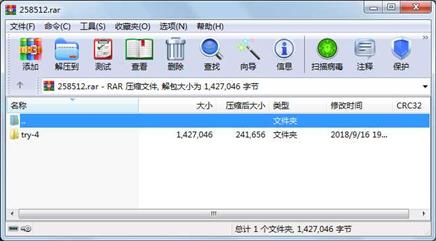
代码片段和文件信息
#include “device.h“
#include “ui_device.h“
device::device(QWidget *parent) :
QWidget(parent)
ui(new Ui::device)
{
ui->setupUi(this);
ydata=QVector(6500000);
xdata=QVector(6500000);
subdata=QVector(6500000);
rdata=QVector(650000);
HR=0;
i=0;
j=0;
k=0;
Flags=1;
p=0;
file=new QFile(this);
savefile=new QFile(this);
time=new QTimer(this);
connect(timeSIGNAL(timeout())thisSLOT(getdataSlot()));
}
device::~device()
{
delete ui;
delete file;
delete savefile;
}
void device::getdataSlot()
{
if(in->atEnd())
{
savedata();
emit overSignal();
return;
}
ydata[i]=(double)(((in->readLine())).toDouble());
i++;
if(Flags)
{
wavedisplay();
}
if(i!=1&&i!=2)
{
HRcal();
}
}
void device::wavedisplay()
{
xdata[p]=k;
k=k+0.004;
emit wavedataSignal(xdata[p]ydata[i-1]);
p++;
return;
}
void device::HRcal()
{
//subdata[i]=ydata[i-1]-ydata[i-3];
subdata[i]=ydata[i-1]-2*ydata[i-2]+ydata[i-3];
if(subdata[i]>=15)
{
rdata[j]=i;
if(j>=1&&(rdata[j]-rdata[j-1])<20)
{
return;
}
if(j>=1)
{
HR=60/((rdata[j]-rdata[j-1])*0.004);
qDebug()<<“HR=“<
}
j++;
}
return;
}
void device::setFlags(int value)
{
Flags=value;
}
void device::openfile()
{
ydata.clear();
xdata.clear();
subdata.clear();
rdata.clear();
ydata=QVector(6500000);
xdata=QVector(6500000);
subdata=QVector(6500000);
rdata=QVector(650000);
HR=0;
i=0;
j=0;
k=0;
Flags=1;
p=0;
file->setFileName(“ECG.txt“);
file->open(QIODevice::ReadOnly | QIODevice::Text);
in=new QTextStream(file);
time->start(4);
}
void device::shutdown()
{
time->stop();
file->close();
}
void device::savedata()
{
if(ydata.isEmpty())
{
QMessageBox::information(this“ERROR““Sorry No Data“);
return;
}
QString saveFileName=QFileDialog::getSaveFileName(this“Save File“QDir::currentPath());
if(saveFileName.isEmpty())
{
QMessageBox::information(this“Error““Please Text A Name“);
return;
}
savefile->setFileName(saveFileName);
bool ok=savefile->open(QIODevice::WriteOnly | QIODevice::Text);
if(ok)
{
QTextStream out(savefile);
for(int z=0;z
out<
savefile->close();
}
else
{
QMessageBox::information(this“Error““Save File Error“);
return;
}
}
属性 大小 日期 时间 名称
----------- --------- ---------- ----- ----
文件 2898 2018-06-05 15:13 try-4\device.cpp
文件 998 2018-05-15 17:00 try-4\device.h
文件 403 2018-04-29 15:14 try-4\device.ui
文件 175 2018-05-06 18:39 try-4\main.cpp
文件 1118717 2017-09-04 08:02 try-4\qcustomplot.cpp
文件 266925 2017-09-04 08:02 try-4\qcustomplot.h
文件 441 2018-05-08 21:43 try-4\try-4.pro
文件 13527 2018-06-05 15:44 try-4\try-4.pro.user
文件 13499 2018-05-06 13:11 try-4\try-4.pro.user.2.1pre1
文件 5603 2018-06-05 15:07 try-4\widget.cpp
文件 1004 2018-05-17 16:07 try-4\widget.h
文件 2856 2018-05-08 21:44 try-4\widget.ui
目录 0 2018-09-16 19:41 try-4
----------- --------- ---------- ----- ----
1427046 13
- 上一篇:基于C++的JPEG图片信息隐藏及提取
- 下一篇:OpenCV贾志刚视频教程完整版
相关资源
- qTox (基于 peer-to-peer )
- 国际象棋的qt源代码
- QT上位机
- qt媒体播放器
- QT5开发及源代码
- qt完整项目
- C++ mqtt 用法
- qt进度条(RoundProgressBar)
- Qt的纽带风格界面实现(Office Ribbon风
- qt 实现画板
- QT Hisi demo
- 基础qt数据库读取和显示
- Qt画图工具源码(qgraphics draw)
- Qt查询SQLite数据库
- QtWebApp
- Qt 实现心电图
- Qt实现 屏幕截图
- qt cmd实现ping
- QT实现USB摄像头拍照
- qt texteditor(富文本编辑器)
- qt 串口助手源码
- qt登录富文本编辑器和文档打印设计
- 使用QWT库实现接收串口数据,并根据
- QT SQLite封装
- QT半透明效果界面
- Qt5串口通信-windows
- 计算机远程唤醒和关机
- 使用wxWidgets进行跨平台程序开发
- QT 动态曲线
- QT视频播放器(基于FFmpeg)
 川公网安备 51152502000135号
评论
共有 条评论