资源简介
使用归一化相关函数进行配准,Step 1: Read Images,
%Step 2: Choose Subregions of Each Image,Step 3: Do Normalized Cross-correlation and Find Coordinates of Peak。。。。。。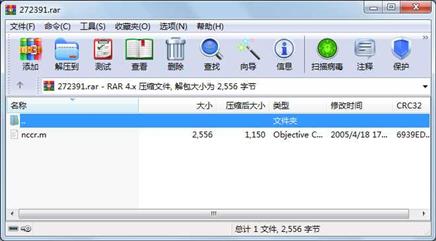
代码片段和文件信息
%使用归一化相关函数进行配准
%Step 1: Read Images
lily = imread(‘lily.tif‘);
flowers = imread(‘flowers.tif‘);
figure imshow(lily)
figure imshow(flowers)

%Step 2: Choose Subregions of Each Image
% non-interactively
rect_lily = [93 13 81 69];
rect_flowers = [190 68 235 210];
sub_lily = imcrop(lilyrect_lily);
sub_flowers = imcrop(flowersrect_flowers);

% OR

% interactively
% [sub_lilyrect_lily] = imcrop(lily); % choose one petal of lily
% [sub_flowersrect_flowers] = imcrop(flowers); % choose whole lily

% display sub images
figure imshow(sub_lily)
figure imshow(sub_flowers)

%Step 3: Do Normalized Cross-correlation and Find Coordinates of Peak
c = normxcorr2(sub_lily(::1)sub_flowers(::1));
figure surf(c) shading flat

%Step 4: Find the Total Offset Between the Images
% offset found by correlation
[max_c imax] = max(abs(c(:)));
[ypeak xpeak] = ind2sub(size(c)imax(1));
% corr_offset = [(xpeak-size(sub_lily2))
%                (ypeak-size(sub_lily1))];
%相关运算,参考点为模板右下角(因为进行了翻转),实际参考点应该为模板左上角
corr_offset = [(xpeak-size(sub_lily2)+1)
               (ypeak-size(sub_lily1)+1)];

% relative offset of position of subimages
rect_offset = [(rect_flowers(1)-rect_lily(1))
               (rect_flowers(2)-rect_lily(2))];

% total offset
offset = corr_offset + rect_offset;
xoffset = offset(1);
yoffset = offset(2);

%Step 5: See if the Image Lily Was Extracted from the Image Flowers
% xbegin = xoffset+1;
% xend   = xoffset+ size(lily2);
% ybegin = yoffset+1;
% yend   = yoffset+size(lily1);
%此时偏移点已经是图像左上角
xbegin = xoffset;
xend   = xoffset+ size(lily2)-1;
ybegin = yoffset;
yend   = yoffset+size(lily1)-1;
% extract region from flowers and compare to lily
extracted_lily = flowers(ybegin:yendxbegin:xend:);
if isequal(lilyextracted_lily)
   disp(‘lily.tif was extracted from flowers.tif‘)
end

%Step 6: Pad the Lily Image to the Size of the Flowers Image
recovered_lily = uint8(zeros(size(flowers)));
recovered_lily(ybegin:yendxbegin:xend:) = lily;
figure imshow(recovered_lily)

%Step 7: Transparently Overlay Lily Image on Flowers Image
[mnp] = size(flowers);
mask = ones(mn);
i = find(recovered_lily(::1)==0);
mask(i) = .2; % try experimenting with different levels of transparency

% overlay images with transparency
figure imshow(flowers(::1)) % show only red plane of flowers
hold on
h = imshow(recovered_lily); % overlay recovered_lily
set(h‘AlphaData‘mask)
属性 大小 日期 时间 名称
----------- --------- ---------- ----- ----
文件 2556 2005-04-18 17:28 nccr.m
----------- --------- ---------- ----- ----
2556 1
- 上一篇:气动机械手装配图及气动系统原理图
- 下一篇:UML大作业 选课管理系统的各种图
相关资源
- wincc 6.0 sp3授权
- WINCC 7.4 SP1免狗工具
- WINCC报表(OLE-DB Tag and Alarm Export_V8.x
- WinCC 7.4 SP1 含授权有破解说明.
- 西门子授权工具Sim_EKB_Install_2016_05_0
- 基于PLC和组态软件的变频器监控系统
- 基于S7-300 PLC和WinCC带式输送机系统设
- wincc_v7.3授权工具
- wincc v7.3 step7 密钥 无限点数授权
- WINCC7.4授权文件
- WinCC V7.4 SP1:入门指南
- WINCC V7.4 SP1免狗破解补丁
- wincc v7.4链接亲测能成功安装
- WinCC V14 SP1 Professional
- WINCC7.4 SP1免硬狗破解补丁及使用方法
- WINCC7.4,WINCC7.4SP1免狗破解
- WINCC 7.4 SP1免狗补丁
- 安装STEP7 WINCC等要求重启的解决方法
- 2019西门子挑战杯初赛获奖程序+方案书
- OpenCC-1.0.5-Win32
- 安装WinCC6.2需要的Win2003ServerSP2补丁K
- xinhaoyuxitong_downcc.com.zip
- SIWAREX CS程序WinCC flexible.zip
- WinCC组态控制电机启停.doc
- WINCC学习资料大全
- wincc报表
- 基于wincc的电梯监控系统
- 基于PLC技术的三层电梯控制系统及W
- WINCC FLEXIBLE培训教程 很完美的
- WinCC报表控件
 川公网安备 51152502000135号
评论
共有 条评论